✅ Cooling recovering · monitor

Equipment page · Beer cooling / dispense

Vision V21L beer cooler

Bunk Manchester beer was dispensing unusually foamy on 15 August 2026. The engineer found the rear motor/condenser area clogged with dust, replaced the affected motor/fan assembly, and refilled the coolant. Temperature is now coming back down; monitor the cooler and beer pour.

Venue
Bunk Manchester
Address
48 Portland Street, Manchester M1 4QU
Location
Beer cellar / dispense cooling area · exact position to confirm
Make / model
Vision V21L Eco-Friendly
Serial / asset tag
Not legible in supplied photos
Observed display
Approximately 3.6°C
Status
Monitoring · cooling recovering after engineer visit

Search this equipment page

Find foam, temperature, condenser, gas, keg, or line checks

Streamlined issue brief

Foamy beer / cooler overheating · 15–16 August 2026

Engineer found a dust-clogged rear motor/condenser area, replaced the affected motor/fan assembly, and refilled coolant. Temperature is coming back down; monitor for recurrence.

Monitoring · foamy beer and overheatingDust-blocked motor/condenser found; cooling recovery underway

Symptoms and evidence

  • Beer was coming out very foamy.
  • Cooler was reported as overheating during hot summer weather.
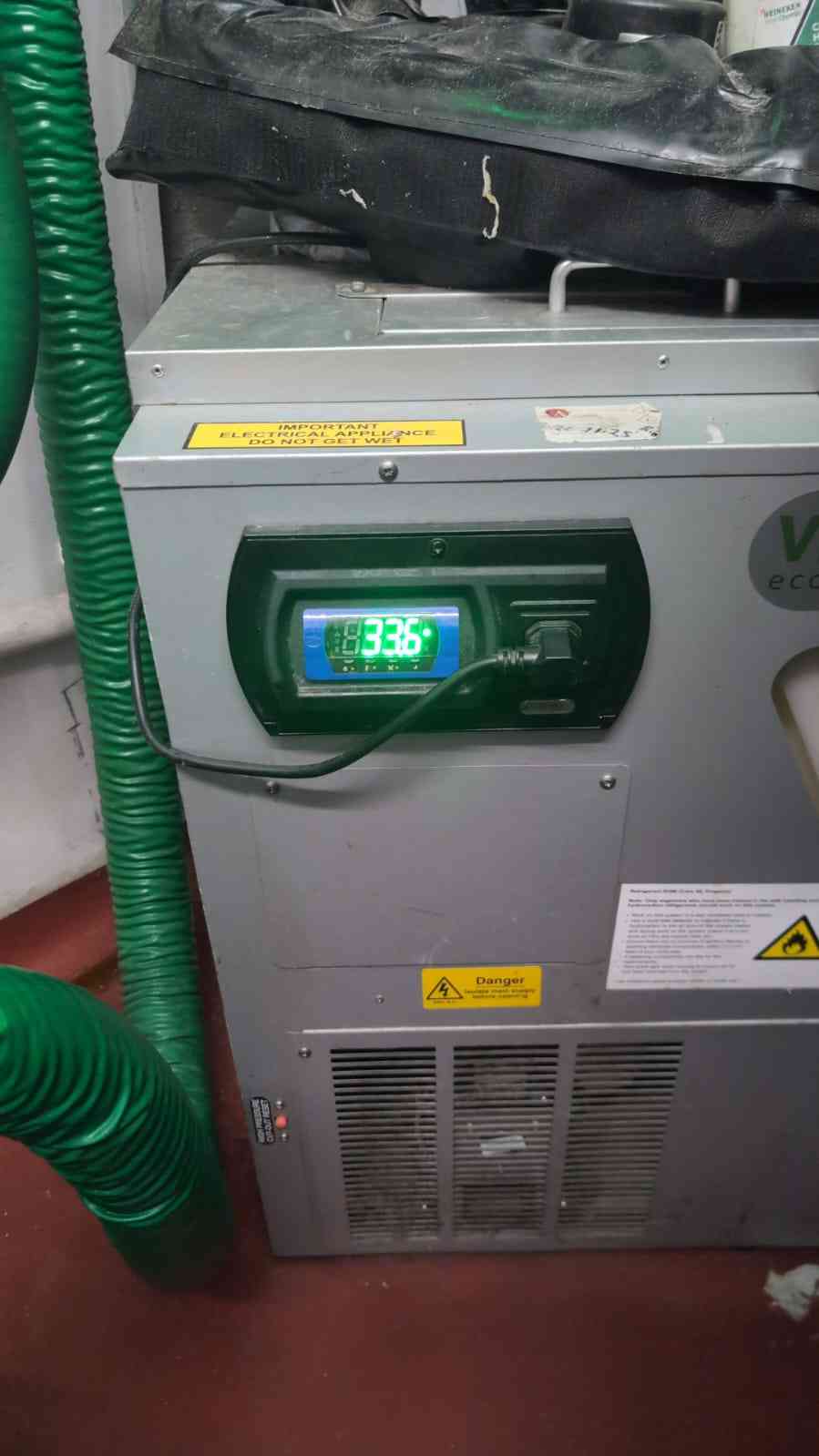
  • Photo controller appears to read approximately 3.6°C; verify with an independent probe at the product/beer outlet.
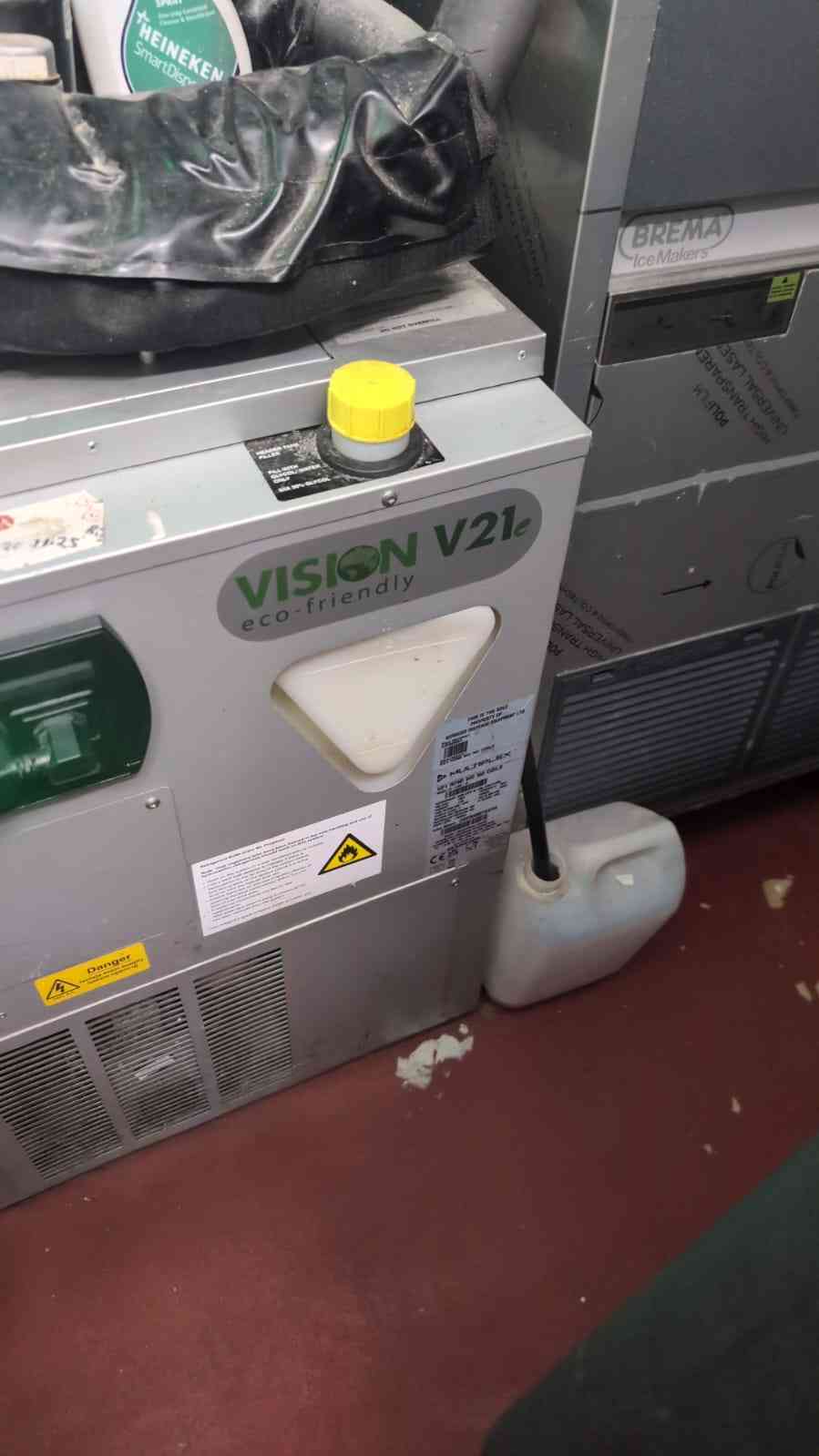
  • Lower grille/intake shows visible dust; surrounding equipment leaves limited clearance.

Leading suspects

  • High ambient temperature and restricted condenser airflow reducing cooling capacity.
  • Dirty condenser, weak/failed fan, or compressor thermal cut-out.
  • Warm beer lines, warm keg, incorrect gas pressure, partially frozen/restricted line, dirty/restrictive dispense parts, or an uncooled run.

Current status

16 August update: Engineer found the rear motor/condenser area clogged with dust, replaced the affected motor/fan assembly, and refilled the coolant. Temperature is now coming back down and the system should be monitored during service. The exact component positions still need confirming from the model-specific service manual.

Reference service map

What staff can check without opening the refrigeration circuit

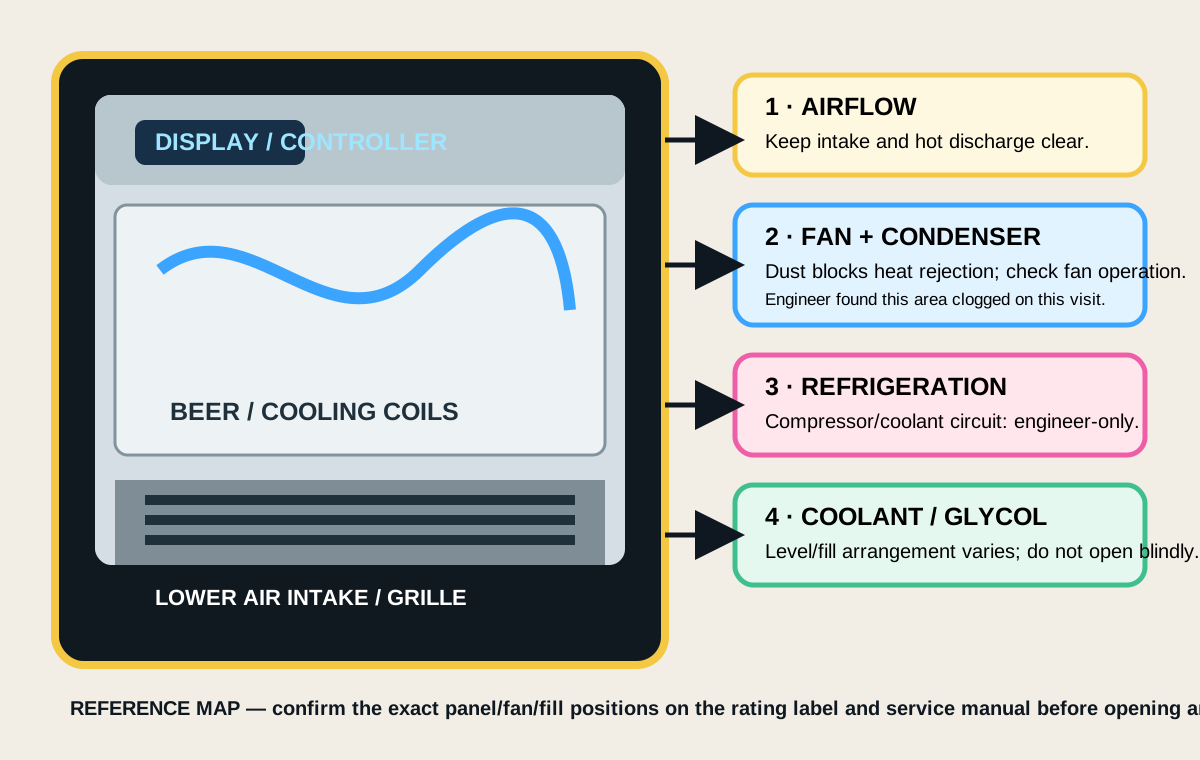
This is a simplified V21-family map, not an exact wiring diagram. The engineer-confirmed failure was dust blocking the motor/condenser area.

Simplified Vision V21L service map showing air intake, condenser fan, refrigeration circuit, coolant circuit, controller and beer cooling coils

Staff-safe routine

  • Isolate power before cleaning external grilles.
  • Vacuum/brush dust from accessible intake grilles without bending fins or spraying water inside.
  • Keep boxes, kegs, hoses, and other equipment clear of intake and hot-air discharge.
  • Check the fan runs and listen for abnormal noise; do not reach through guards.
  • Record display and beer temperature during hot and busy periods.

Engineer-only

  • Removing service panels or guards.
  • Replacing motors/fans, opening the refrigerant circuit, or refilling coolant/glycol.
  • Electrical tests, pressure checks, leak checks, and refrigerant charging.
  • Confirming the exact V21L service-panel layout and fill point.

Safe first-line troubleshooting

Separate cooling failure from dispense foam

1Record the controller temperature and compare it with an independent thermometer at the beer/product outlet.
2Check whether all products are foamy or only one keg/line. One line points more toward keg, coupler, gas, restriction, or dirty dispense parts.
3Check the cooler has clear air in/out paths. The photographed lower grille needs cleaning by the site’s safe cleaning procedure; isolate power first and do not bend fins.
4Confirm condenser fan runs when cooling is demanded and that hot discharge air is not recirculating into the intake. Internal electrical/refrigeration work is engineer-only.
5After the cooler has stabilised, check line temperature, keg temperature, gas supply, regulator setting, coupler seating, line routing, and dispense speed.
Typical causes of foamy beer

Check in this order

  • Beer/product is too warm or line has warmed up.
  • Gas pressure is wrong for the beer, temperature, line length, or system.
  • Keg is nearly empty, over-agitated, recently moved, or not settled.
  • Dirty/blocked tap, nozzle, restrictor, coupler, or beer line.
  • Beer line is kinked, poorly routed, or has a warm section.
  • Cooling bath/pump/coil is not circulating correctly.

Do not chase pressure blindly: record the beer brand/type, keg temperature, regulator reading, line length/diameter, and engineer’s recommended setting.

Heatwave-specific checks

Reduce the load on the cooler

  • Keep stockroom/cellar ambient temperature as low as practical.
  • Move boxes, kegs, ice machine heat, and adjacent equipment away from the intake and discharge.
  • Keep the condenser grille clean and allow the manufacturer’s required clearance.
  • Prevent hot air recirculation; improve room ventilation where possible.
  • Log controller temperature and first-pour foam at busy periods and overnight.

Escalate: if temperature rises, the compressor cycles on overload, the fan is noisy/not running, or foam persists after cooling and dispense checks.

Photos / evidence

Vision V21L reference images

Serial and rating details are not legible enough to transcribe; request a close-up label photo for parts or service history.

Vision V21L beer cooler front showing controller at approximately 3.6 degrees Celsius
Front view: controller appears to show about 3.6°C; dusty lower intake is visible.
Vision V21L beer cooler beside adjacent equipment with restricted clearance
Side view: adjacent equipment and stored items may restrict airflow; verify required clearance.

Research sources

Reference material used

Engineer handover

Copy-and-paste details

Site details

Venue
BUNK Manchester
Address
48 Portland Street, Manchester M1 4QU
Equipment
Vision V21L Eco-Friendly beer cooler
Issue
Overheating reported; beer dispensing very foamy during hot weather

Copy message